Building Agent Day03 Vision Moda
Building an Agent From Scratch | Day 03: Giving the Coding Agent a Pair of Eyes
Date: 2026-07-05 Project: github.com/xvshiting/quenda
Giving my from-scratch Quenda Code a pair of eyes — what a VLM Agent really needs is far more than just passing an image to the model.
My current development path goes roughly like this: first implement the Quenda Agent Framework, then build the Quenda Code Agent on top of it, and during the development of Quenda Code, in turn use Quenda Code to optimize the Quenda Framework. In other words, Quenda Framework and Quenda Code are each other’s first user.
This kind of “eating your own dog food” development is fun. The framework provides the agent capabilities, and the code agent constantly exposes design issues in the framework, which then drives the framework to evolve.
To get the core path working quickly, Quenda initially only supported text — no multimodality. My original plan was: polish Skills first, then bring in MCP, then gradually extend more tools and environment capabilities.
But a few days ago, I got a batch of math problems for testing agents.
Quenda Code performed decently on the pure-text problems, but the moment an image appeared in a problem, it broke down and told me, very honestly:
I cannot see the image.
That’s when I realized it was time to give Quenda Code image understanding. And images aren’t just an extra input in math problems — once the agent can understand images, it can later understand web screenshots, software UIs, and the desktop itself, opening up far more interesting tasks.
So I decided to tackle image first.
With a VLM, is supporting images in an agent really that simple?
At first, I assumed adding image support would be straightforward. Most model services today either follow the OpenAI protocol or the Anthropic protocol. In theory, you just put the image into the Message in the right format and call a vision-capable model — done, right?
So I handed the requirement to Quenda Code.
It quickly finished the code changes, and tests passed.
But when I actually used Quenda Code and fed it an image, it still told me:
I cannot view images right now.
That was strange. Tests passed, yet the real agent still couldn’t see the image.
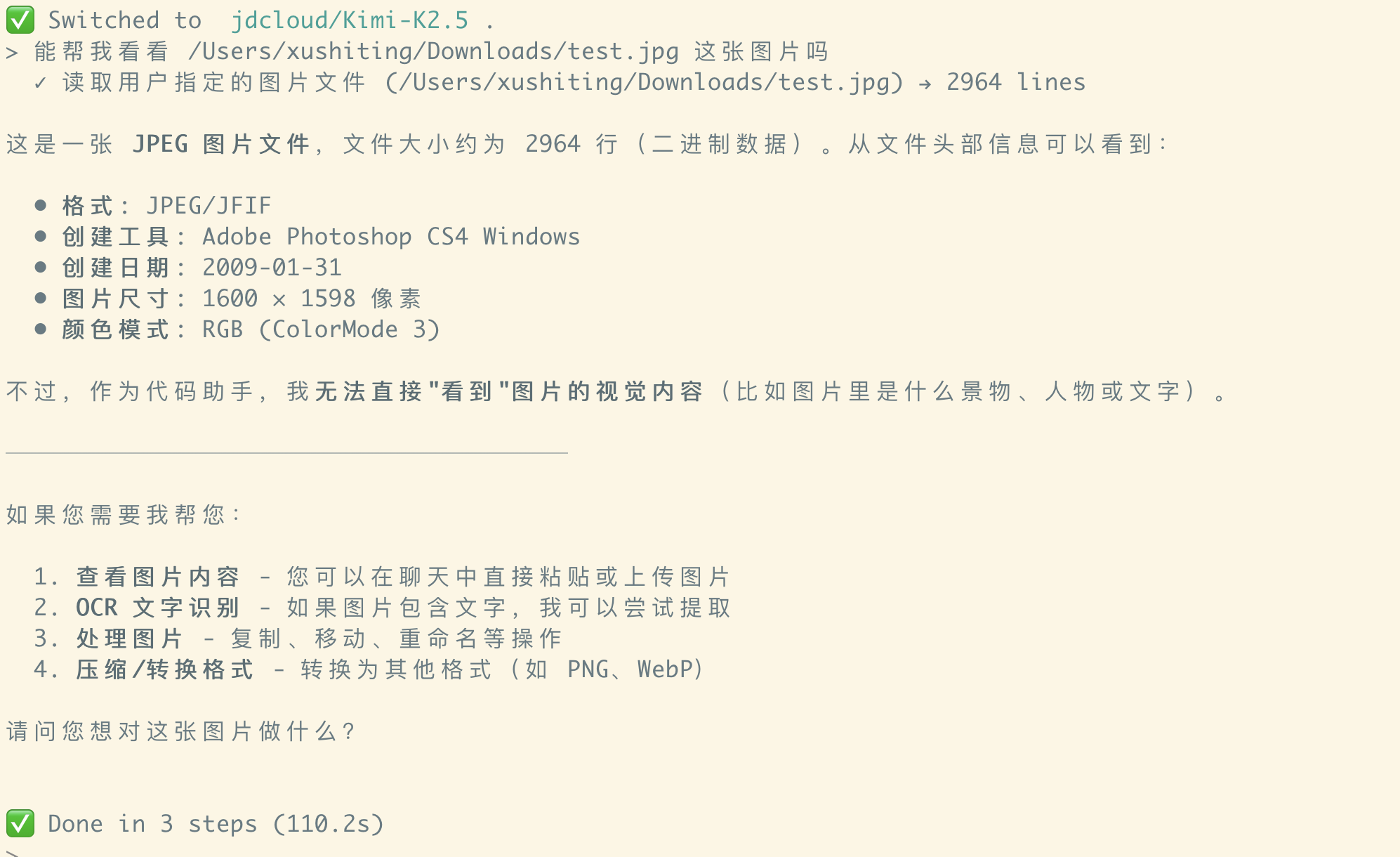
I checked the test code and quickly found the problem: the test was calling the Provider interface directly — what it verified was only “can the Provider send an image to the VLM”. The test never went through the full Agent Runtime. In other words, the Provider did support image input, but the Quenda Agent Framework had no idea that:
/Users/xushiting/Downloads/test.jpg
should be recognized as an image and converted into a multimodal Message, rather than being sent to the model as a plain string. In the current interaction chain, that path was still pure text.
The LLM saw the path, noticed it had a read_file tool, and decided to try reading the file. But even though the underlying model had vision capability, the LLM had no authority to alter the Message structure of the current model call.
It could not tell the Runtime:
Next time you call me, please put this file into the Message as image content.
This is the real problem. Supporting multimodality isn’t just about the Provider being able to receive an image — the entire Agent chain needs to understand images.
Inspiration from Claude Code
At this point, I thought of how Claude Code handles it.
In Claude Code, when you drag an image into the CLI, the interface usually doesn’t display the absolute path of the image — it shows something like:
[Image #1]

This means Claude Code’s interaction layer must be doing extra work. It doesn’t simply send the image path as a string to the model; instead, it first registers the image as a referenceable multimodal object and then uses a lightweight reference in the context to point to it.
Quenda can adopt the same approach.
For example, when a user enters a local image path, the interaction layer first converts the image into an ImageBody, then assigns it a reference: [Image: img0].
The Session only keeps the reference img0; the actual image data is handed to a separate resource manager. When calling the VLM, the image is reassembled into the Message based on the reference.
There’s an obvious benefit to this: we don’t need to store Base64 data directly in the Session. If every image entered the history as inline Base64, the context would balloon rapidly, and Session persistence, trimming, and restoration would become very painful. So in Quenda, what gets persisted is the image reference, not the image itself.
Based on this idea, I had Quenda Code implement the first version.
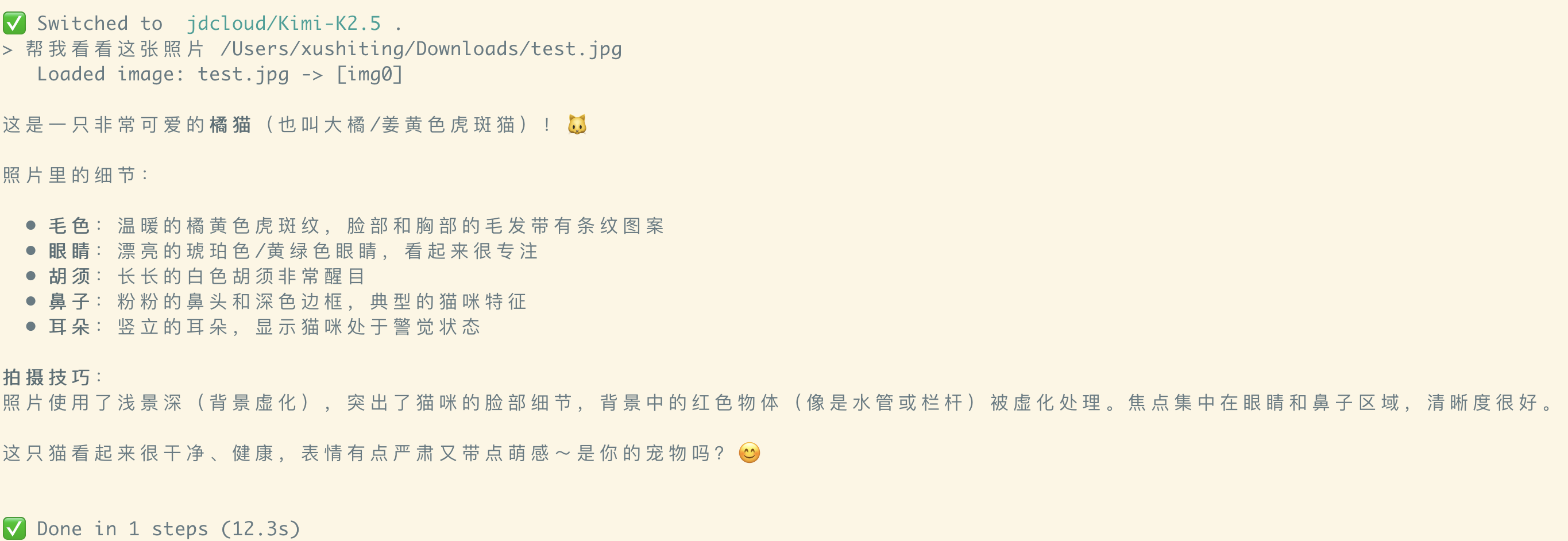
It worked well. After a user directly attaches a local image, the image is registered as a reference and correctly converted into a multimodal Message at model-call time.
But the story doesn’t end here.
Image URLs failed — and made me realize it’s not that simple
Next, I tested a math problem that contained a web image URL. It failed.
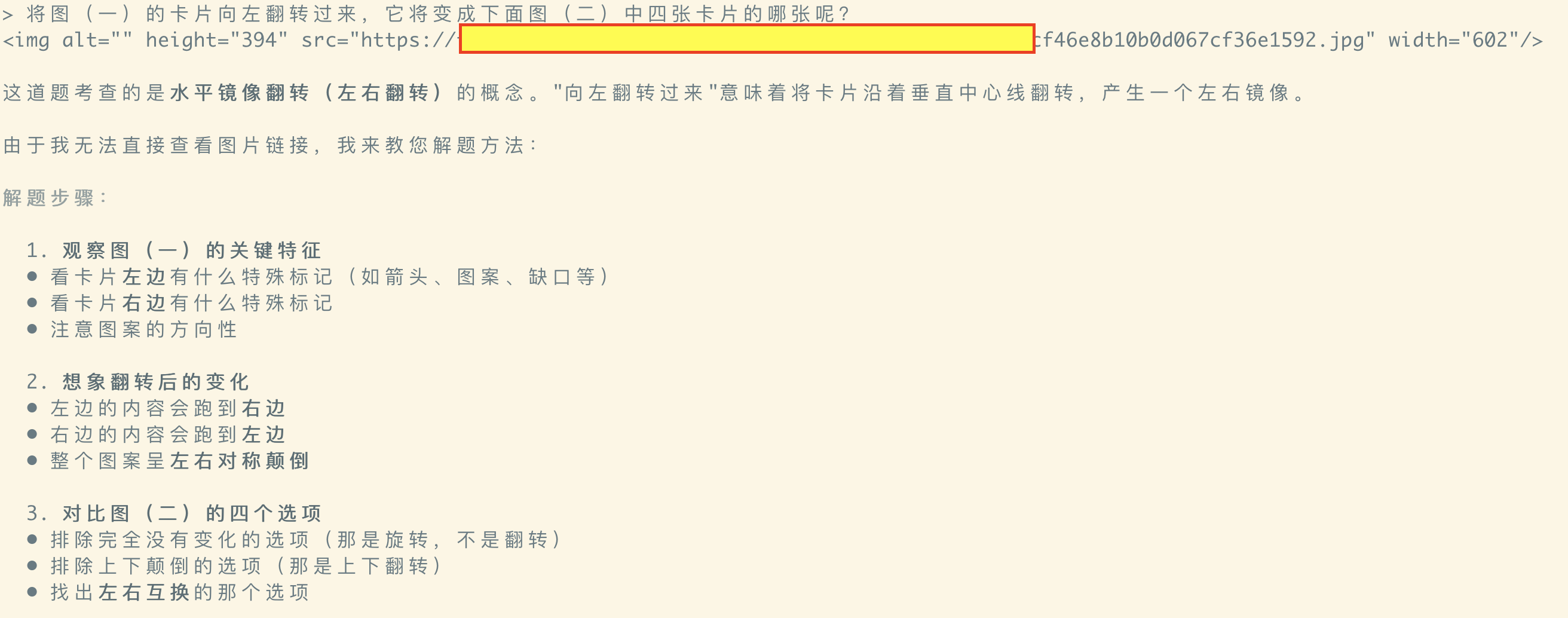
Since local image paths could be converted to references, image URLs seemed like they could follow the same path: identify the image URL → download the image → register as resource → convert to ImageBody → call VLM. From an implementation standpoint, that’s not hard.
But just as I was about to do it, I suddenly realized: you cannot just turn every image path or image URL you see into visual input sent to the model.
Because an image path in the context doesn’t necessarily mean “the user wants the model to understand this image.” Suppose I’m asking Quenda Code to modify a frontend page, and the HTML contains a bunch of image URLs:
<img src="https://example.com/banner.png" />
These URLs are part of the code. In this scenario, the agent usually just needs to understand the HTML structure — it doesn’t need to download and analyze every single image. If the framework automatically called the VLM whenever it saw any image URL, it would not only inflate request cost and context length, it could also mislead the model into focusing on completely irrelevant images.
More seriously, it would conflate two very different semantics: “this text contains an image address” versus “please look at and understand this image.”
So the real question is no longer:
How do I pass an image to the VLM?
but:
When should an image be passed to the VLM?
The key to a multimodal agent isn’t the format — it’s Timing
I now believe one of the most important problems in a multimodal agent is Timing: at what point should the system convert a particular image resource into visual input? Broadly, there are two scenarios.
Type 1: The user’s action clearly expresses visual intent
For example:
- The user directly drags an image into the CLI
- The user pastes a screenshot in the chat
- The user clicks “upload image”
- The user explicitly attaches an image via an attachment feature
These behaviors are very strong signals on their own. There’s no need to ask the LLM to judge whether the user wants it to see the image. The interaction layer can directly register the image as an ImageBody and add it to the current Message.
The flow is roughly:
user attaches image
  -> interaction layer registers ImageBody
  -> Message carries the image reference
  -> VLM call
Call this explicit visual input.
Type 2: The LLM actively discovers an image while executing a task
The other case is more complex. The user didn’t attach an image directly — they gave the agent a task. For example: “Check this directory and find which photo contains a cat.”
While searching files, the agent might come across:
photo_001.jpg
At this point, the LLM needs to actively decide:
I need to look at the contents of these images.
But the LLM can currently only call tools — it can’t directly modify the Message type of the next model call. So the framework must provide a mechanism that allows a tool call to produce a multimodal result.
For example, read_file returns:
ToolResult(text_content="...")
when reading a text file, but:
ToolResult(image_content=...)
when reading an image file.
When the Runtime receives this result, it can’t simply serialize it into a piece of text — it should convert the image_content into a real image Message Part on the next model call.
The flow becomes:
runtime.execute()
  -> kernel.invoke_model()
  <- model returns tool_calls
runtime
  -> kernel.execute_tool()
  <- ToolResult(image_content=...)
runtime
  -> append assistant(tool_calls) + user(tool_results)
  -> next round kernel.invoke_model()
This gives the LLM a new capability:
When I deem it necessary, I can use a tool to promote a plain file into visual content that the model can see in the next round.
Call this agent-driven visual acquisition.
read_file or a dedicated visual tool?
One more thing to weigh during design: should the generic read_file support images, or should we provide a separate tool like view_image?
Both have merit.
If read_file auto-detects file type:
read_file("test.txt")  -> text_content
read_file("test.jpg")  -> image_content
The upside is fewer tools and a unified usage pattern for the LLM — the agent doesn’t need to determine the file type in advance, it just “reads the file.”
But this design also widens the semantics of read_file. It no longer returns just text; it returns a multimodal ToolResult.
The alternative is to split:
read_file(path)      -> text_content
view_image(path)     -> image_content
The semantics are clearer, and the model explicitly expresses “I want to look at an image now,” but it increases tool count and requires the model to know the file is an image beforehand.
Quenda currently takes the first approach: read_file returns different content structures based on file type.
This also means the tool system can no longer assume:
ToolResult == string
It must allow tools to return structured, multimodal results, e.g.:
ToolResult {
    text_content: ...
    image_content: ...
}
Seen from this angle, introducing images isn’t just adding a type to the Message — it actually pushes an upgrade across the whole Tool Result, Runtime, and Session model.
Final Results
After this change, both visual scenarios in Quenda Code now work properly.
User directly attaches images
After a user attaches two images, the system registers them as:
img0
img1
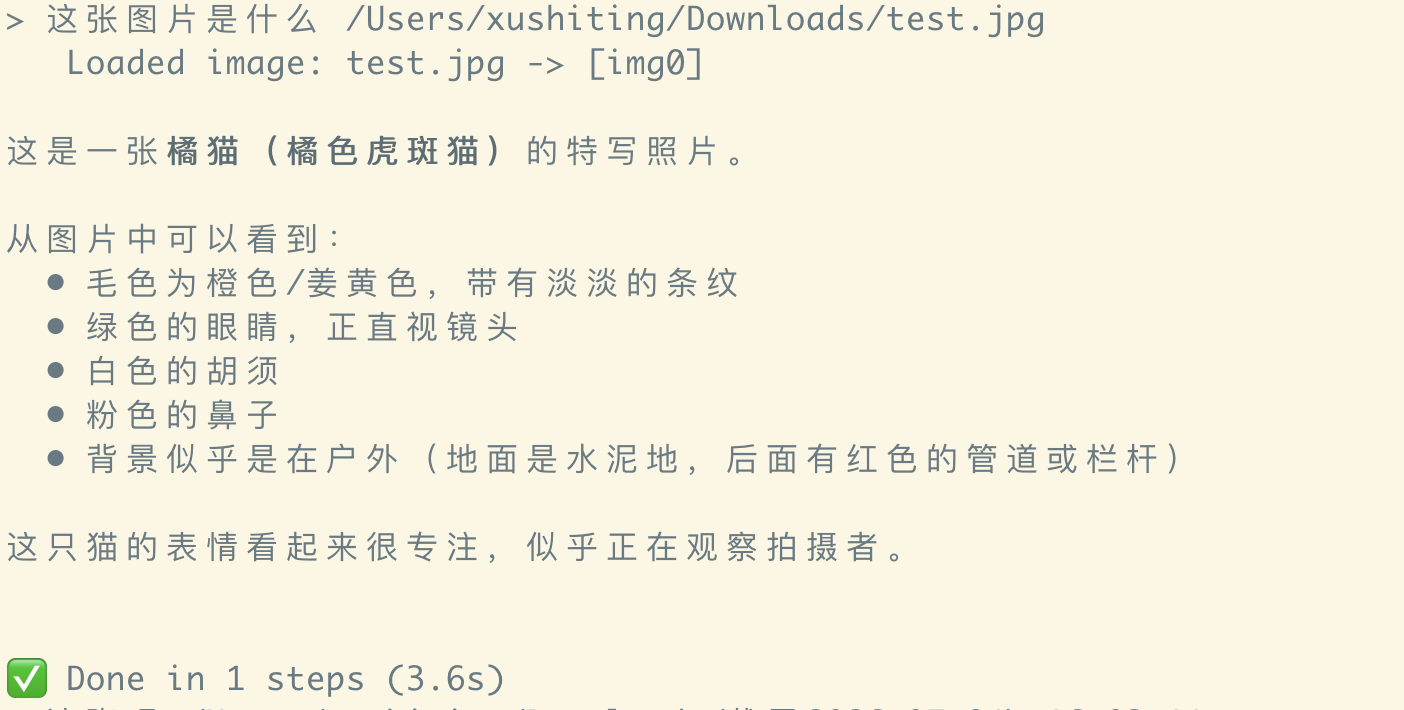
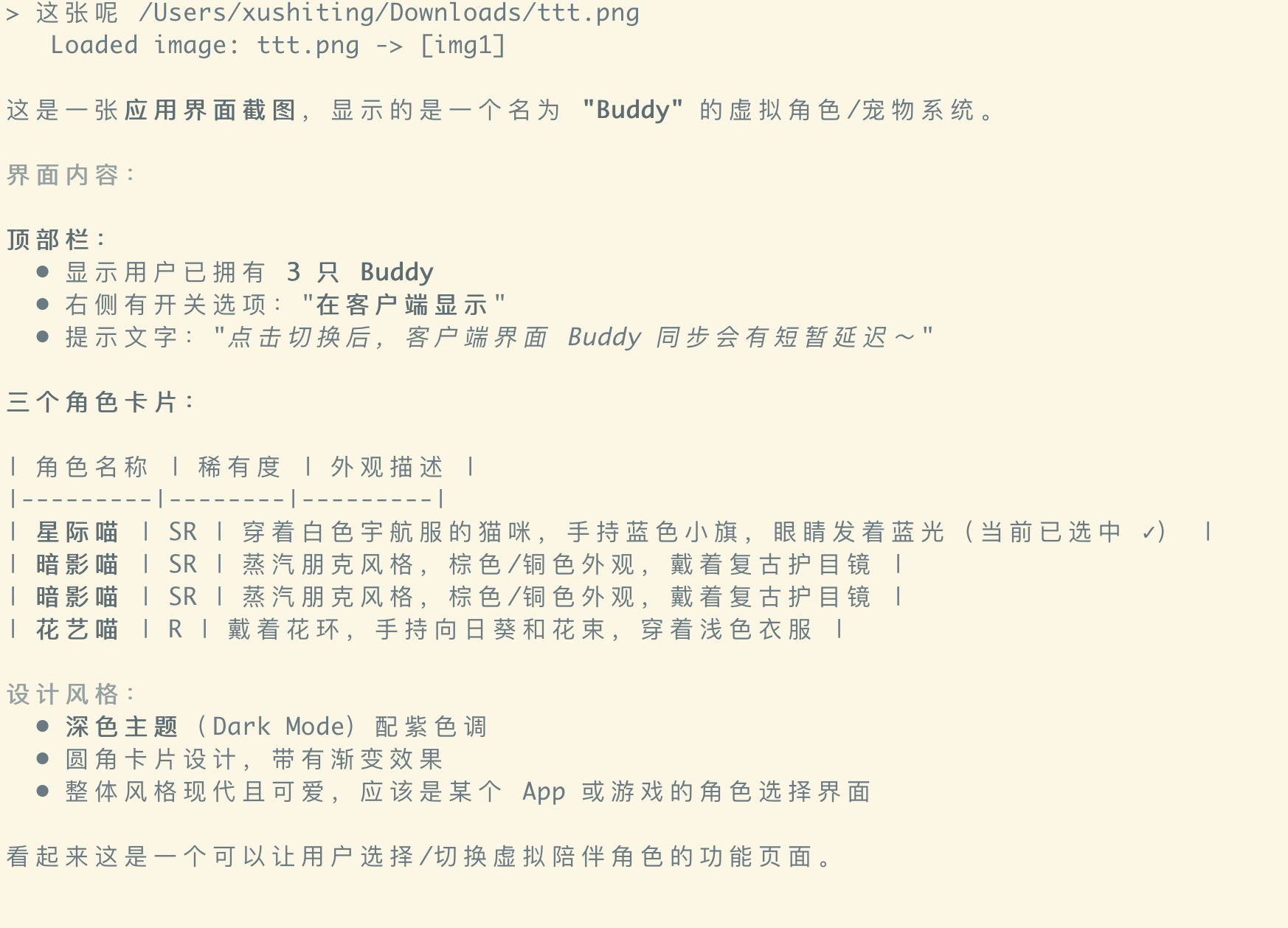
The Session keeps the references, and at model-call time they’re converted into actual multimodal content. The model can understand both images simultaneously and correctly reason about the relationship between them.
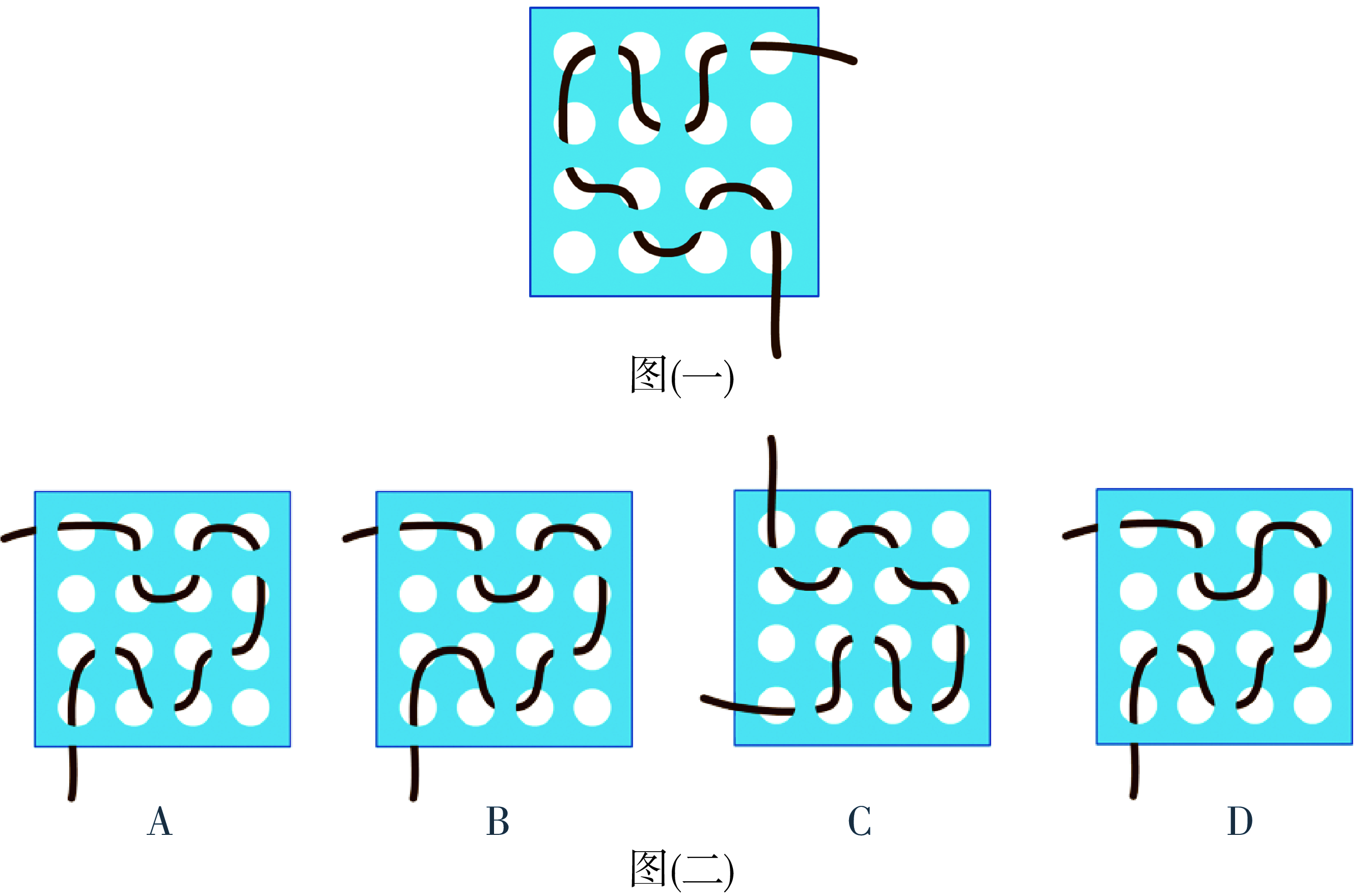
Web image in a math problem
When a problem contains an image URL that needs to be understood, the agent can first download the image, then inject it into the next model call via the tool result.
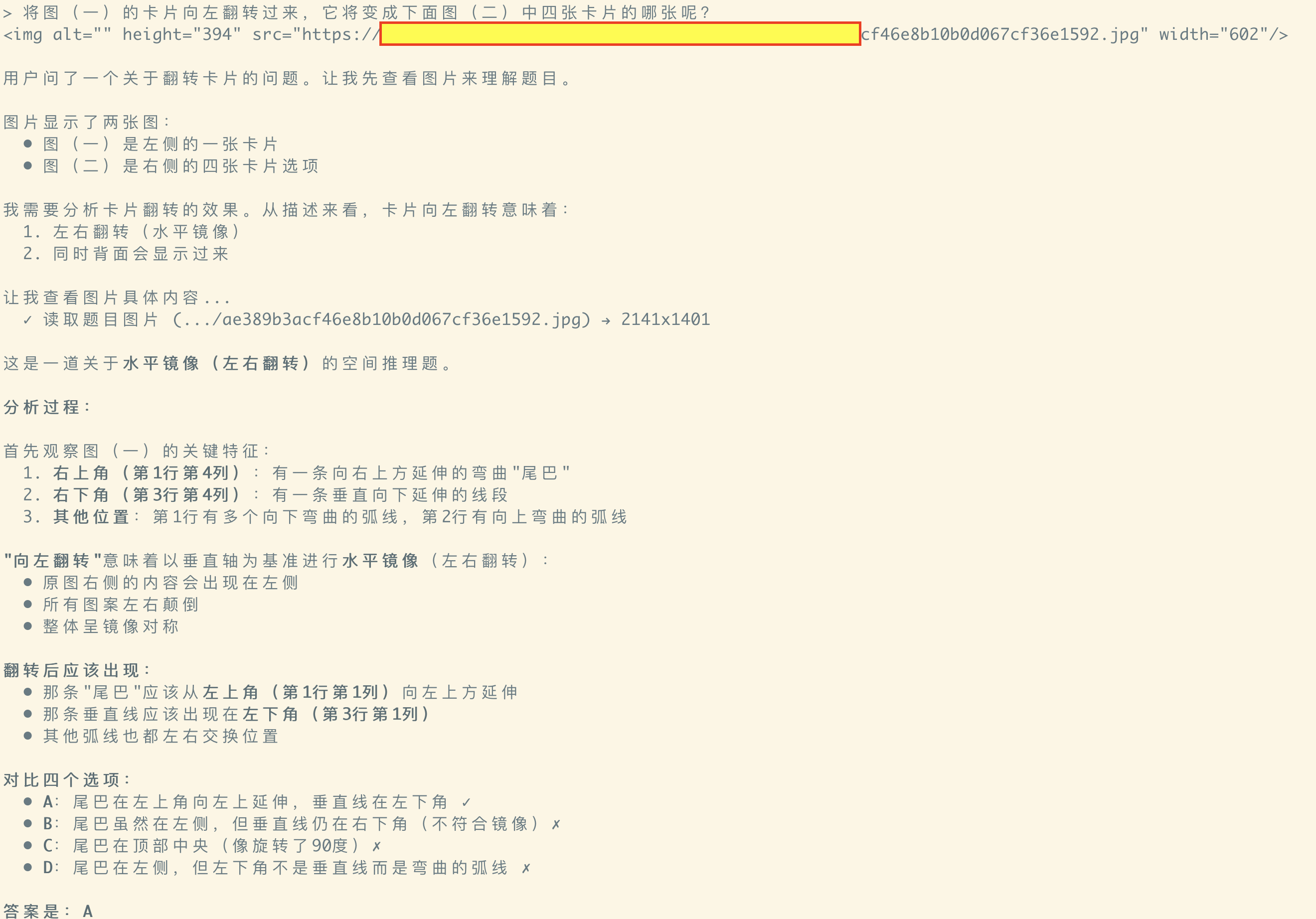
The agent that used to only see a URL string can now actually see the figure in the problem and solve it. By the way — the model’s answer is correct.
Agent actively reads a local image — finding the cat
In the task “find the photo that contains a cat among several images,” the agent actively searches local files and calls read_file to inspect candidate images.
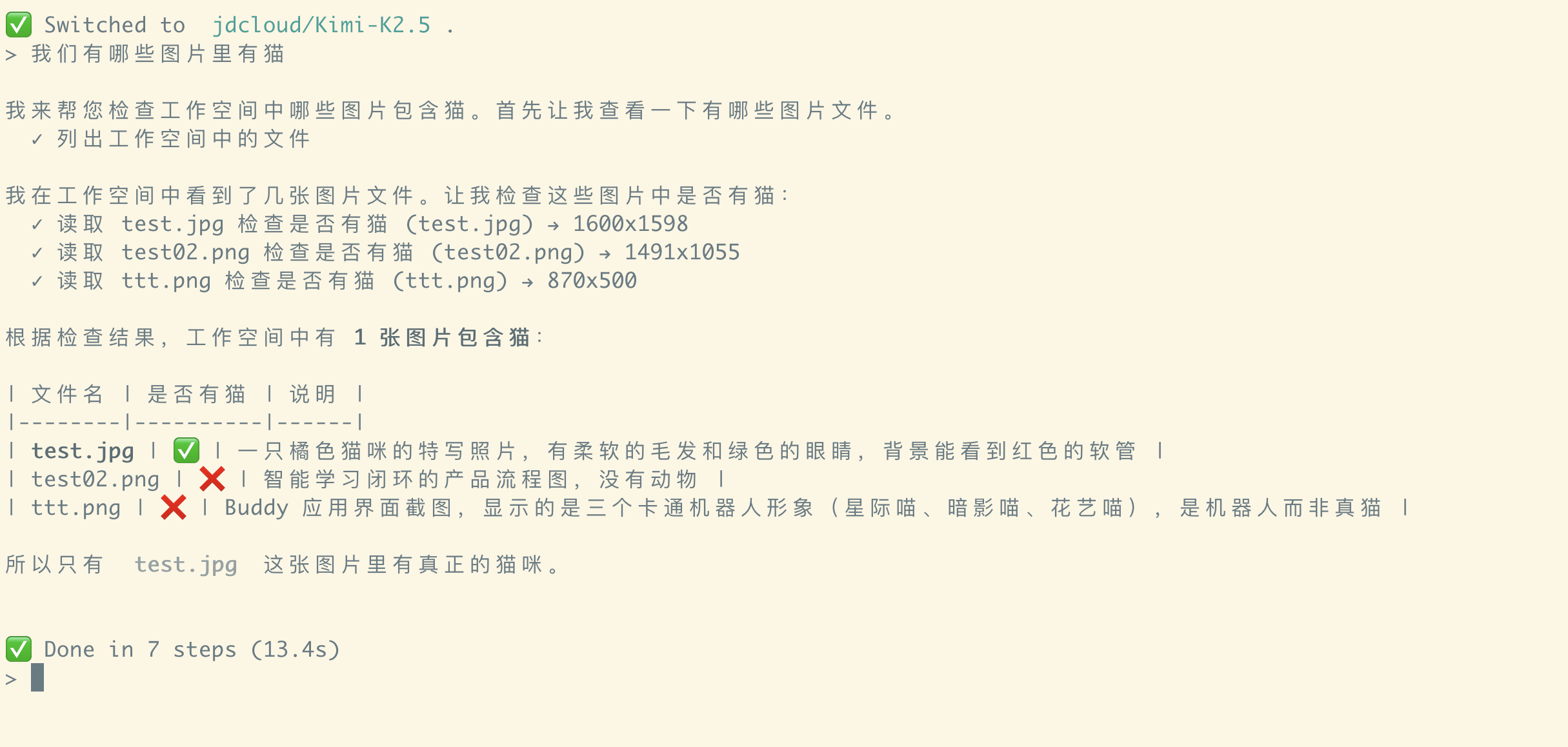
The image_content returned by read_file flows all the way through:
Tool
  -> Runtime (interprets image_content)
  -> Message conversion (assembles multimodal Message)
  -> Provider request
  -> VLM
Eventually the model sees the image content, not just the file name or path.
Summary
At first, I thought adding vision to an agent only required changing the Provider — put the image into the Message, then call a VLM. But after actually implementing it, I realized the Provider is only the last link of the entire chain. A complete VLM Agent needs to solve at least:
- How the interaction layer recognizes images a user actively attaches
- How the runtime carries image references across rounds without bloating the Session
- How the LLM, through tool calls, actively promotes a file it discovers into visual content
- How
ToolResultevolves from “always a string” to a structured, multimodal object - When — the Timing — an image should enter the model’s cognitive context, and who decides it should
In the end, Quenda formed two visual input paths:
- User explicitly attaches an image — the interaction layer registers an
ImageBodyand adds a reference to the Message. - LLM actively discovers an image —
read_filereturnsimage_content, and the Runtime carries it into the next model call.
Looking back, the hardest part of giving an agent image capability isn’t the image format, nor adapting to the OpenAI or Anthropic protocol.
What truly needs design is:
When does an image enter the agent’s cognitive context, and who decides it should.
With this step, Quenda Code has truly started to have “eyes.”
Next, when it can further understand browser contents and the desktop screen, what Quenda Code can do will likely no longer be just writing code.